Security License Lens
You already pay for Microsoft security features. A lot of them are still sitting at default.
LicenseLens looks at the SKUs in the tenant, maps them to the controls those SKUs are supposed to enable, then checks whether those controls are actually on. Findings look like: you pay for X, we expected Y, we observed Z.
-
Start here
Install it, run the offline demo, and learn how to read the result.
-
How it works
Entitlements, capabilities, checks, findings, and evidence boundaries.
-
Live scans
App registration, auth modes, and the MSP batch workflow.
-
The check pack
170 checks across identity, email, endpoint, and related workloads. Activation checks the paid security you already own; hygiene is an optional SCuBA-aligned pack.
Quick start
For the full install matrix, live-scan path, report-reading guide, and component map, start with the Operator guide.



Install on your platform
- View the sample report — Open the interactive sample report — no install.
- Windows —
pipx install licenselensthenlicenselens demo(orlicenselens quickstart). Needs Python 3.12+ and pipx; see prerequisites. - macOS / Linux —
pipx install licenselensthenlicenselens demo. Same commands as quick start.
What it looks like
One HTML file. Open it locally. It does not call home.
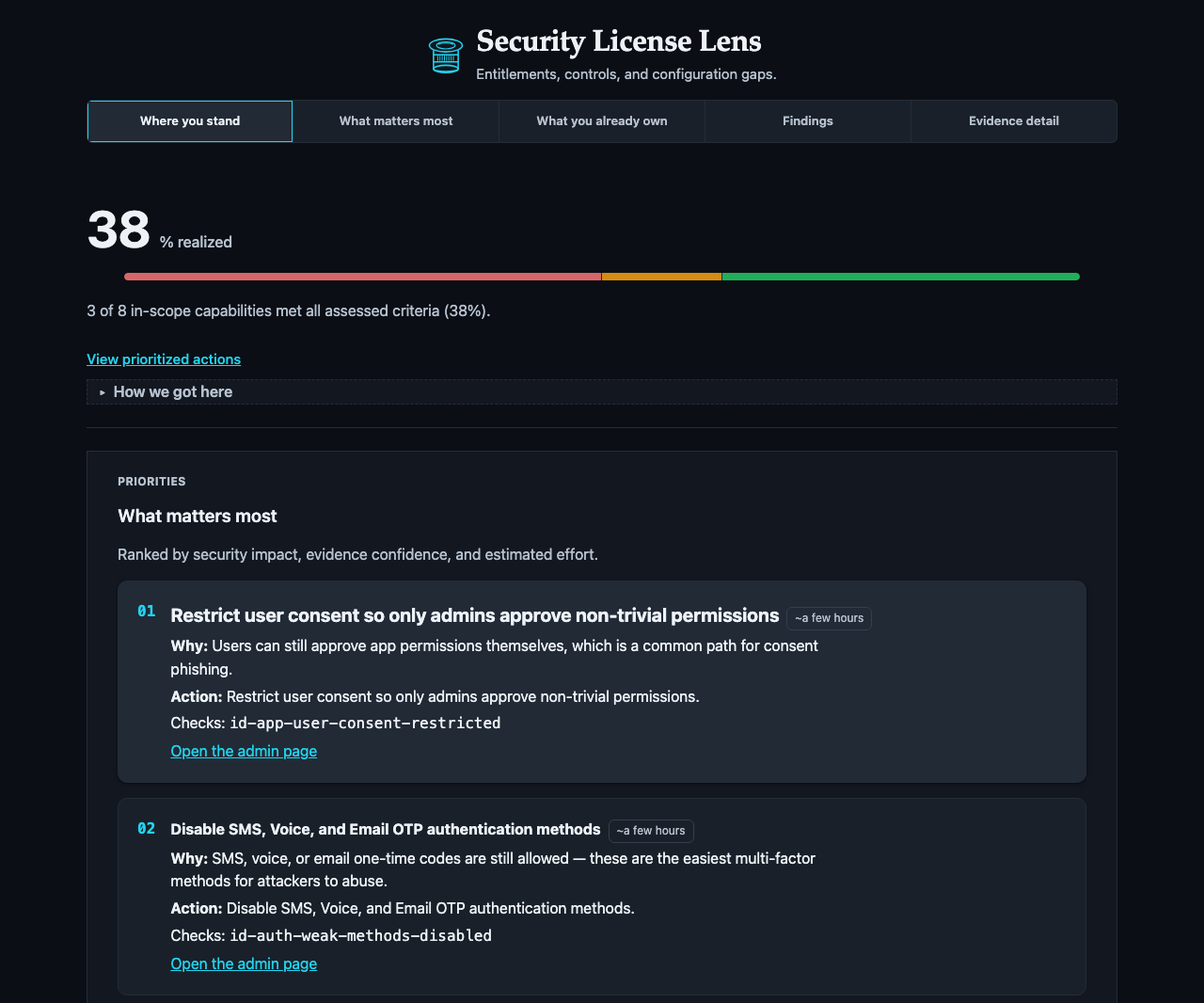
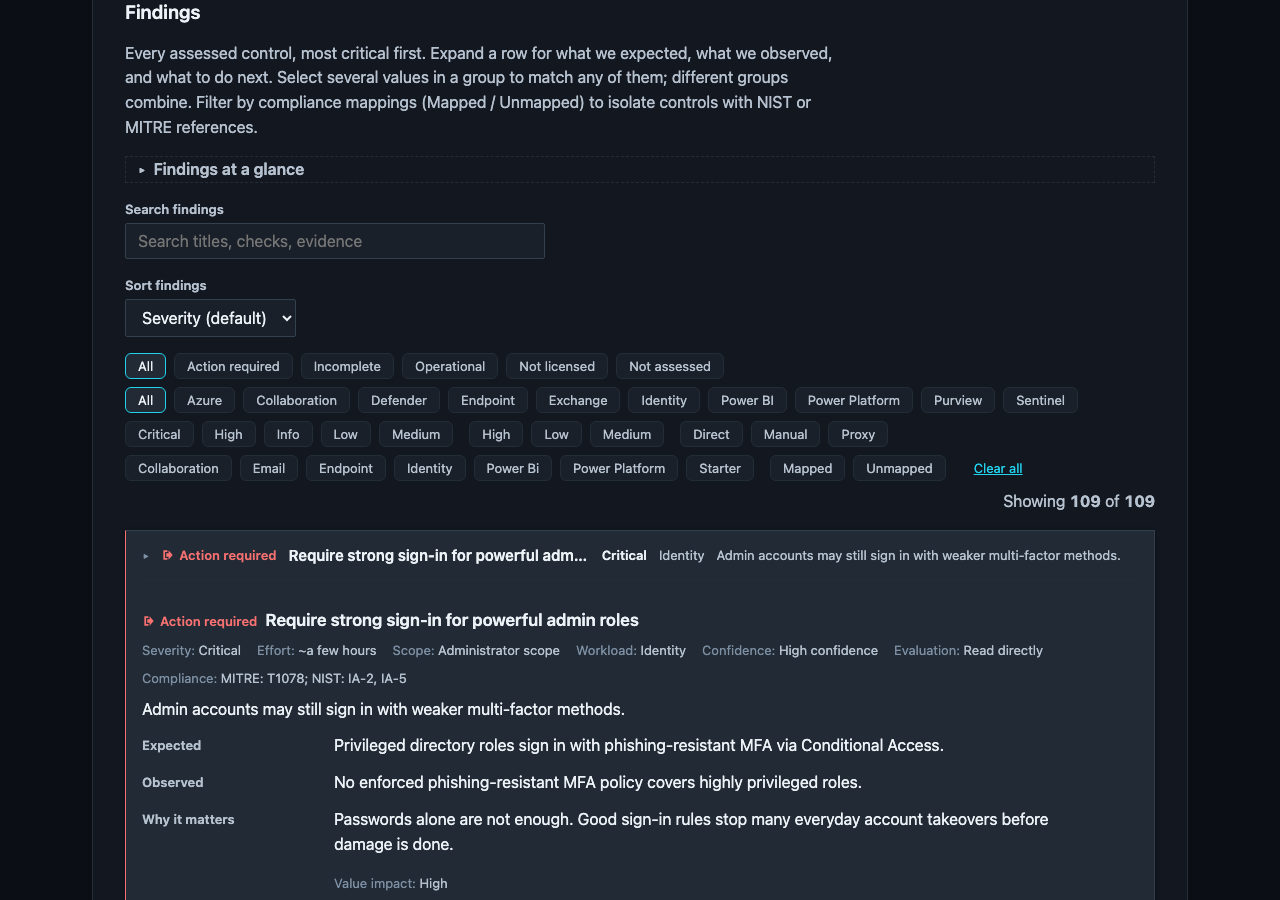
The most common finding
id-ca-priv-gaps:
- You pay for Microsoft 365 E5, so Conditional Access is licensed for every user.
- We expect MFA and a block on legacy auth, enforced with a CA policy.
- We observed zero Conditional Access policies, so the tenant is marked
EXPOSED. - Do this — turn on an MFA CA policy. The gap closes on the next scan.
Why Security License Lens?
| Tool | Optimizes for |
|---|---|
| ScubaGear | CISA baseline compliance |
| Maester | Continuous config tests (Pester) |
| Microsoft Secure Score | Score + recommendations (not SKU-gated) |
| License waste scripts | Seat assignment efficiency |
| Security License Lens | Owned SKUs → expected high-value controls → unused/default gaps |